Online Manual
streamZ User Guide

4 agentZ
📖 About the Product
agentZ is a streamZ device pre-installed with a Linux desktop environment and OpenClaw application.
In addition to all native streamZ functions, agentZ can also be used as a compact Linux workstation when connected to a monitor, keyboard, and mouse.
This chapter describes agentZ's specific features and configuration procedures.
For information about native streamZ functions, please refer to the corresponding chapters of this user manual.
 📢 Important

agentZ requires an external storage device to operate.

No user storage space is reserved on the device. All generated content must be saved to an external USB flash drive or portable hard drive. A capacity of **128 GB–256 GB** is recommended. Storage devices with less than **15 GB** of available space are not supported.

Before powering on the device, ensure that:

-  An external storage device is properly connected.
-  Sufficient free storage space is available.
Before You Begin
What is OpenClaw?
OpenClaw is an open-source, local-first AI agent framework introduced by Austrian engineer Peter Steinberger in late 2025.Unlike traditional conversational AI, OpenClaw can autonomously interact with a computer, access files, manage schedules, and execute multi-step workflows. On the agentZ, OpenClaw runs locally, and operation logs and personal data are not routed through external servers.
Token Costs
While OpenClaw itself runs locally, the large language models it uses (such as Qwen or GPT) are typically cloud-based services that charge based on token consumption.
Everyday activities such as conversations, document processing, and workflow execution consume tokens. Actual costs depend on the selected model and usage frequency.
Before deploying OpenClaw in production, it is recommended to test your typical workloads on a small scale and evaluate the associated costs before finalizing your configuration.
Data Security
OpenClaw can access files and execute system commands. During setup, you will be asked to confirm that the operating environment is secure.
Before configuration, it is recommended to back up important files stored locally to avoid accidental data loss or unintended operations caused by incorrect instructions or settings.
Setting Expectations
OpenClaw performs best on repetitive tasks with clearly defined rules and workflows.
For tasks requiring complex judgment, creativity, or highly personalized decision-making, results may vary depending on the task and the AI model used. We recommend testing OpenClaw with your own workflows before adopting it for regular use.
Ports
The followings are required for OpenClaw setup and operation:
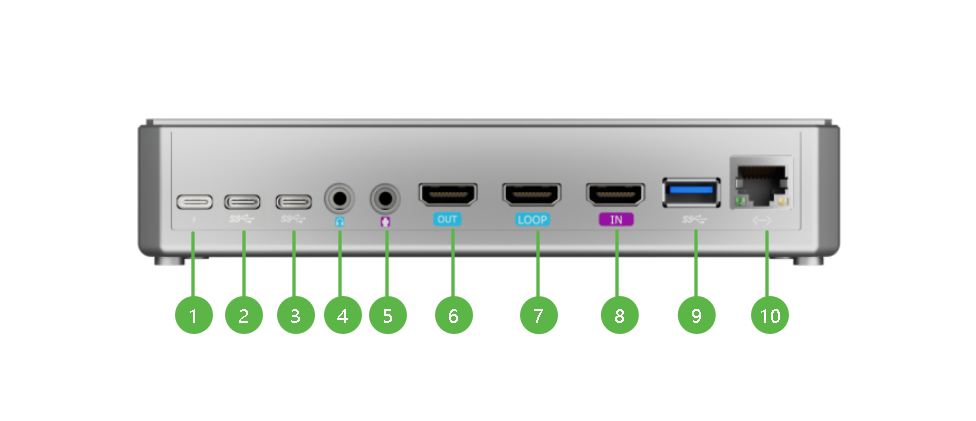
| NO. | Interface | Desc. | Illustration |
|---|---|---|---|
| ❶ | Power | Connect the power adapter. The device powers on automatically when power is supplied. | 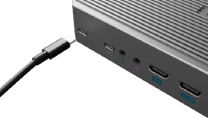 |
| ❺ | HDMI IN | Connect the device to a monitor using an HDMI cable. | 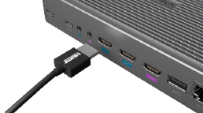 |
| ❾ | LAN | Connect to a Gigabit Ethernet network using a network cable. Wi-Fi is also supported. | 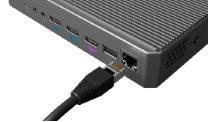 |
| ❷ | USB-C | Connect a mouse, keyboard, or other peripherals via a USB-C port. Use an adapter if required. A dock is recommended. 3.1 Dock Expansion Guide | 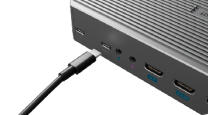 |
| ❽ | USB-A | Connect a mouse, keyboard, USB flash drive, or portable hard drive. | 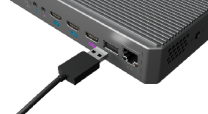 |